Linksys Router overview
The Linksys routers are among the most popular wireless networking devices that connect all your offices, homes, and gaming zone devices to a single internet connection, allowing them to communicate with each other. Known for its fast and reliable performance, many users prefer this router because it provides a secure wireless WiFi network with advanced features and parental controls. The Linksys router is widely used for everyday activities such as web browsing, online gaming, video streaming, and remote work. This WiFi router offers features like dual-band WiFi guest networks, QoS, and support for the latest WiFi standards. By logging in to its admin portal, you can easily access its features and also update and configure its security settings.
Default Linksys Router IP Address, Username & Password
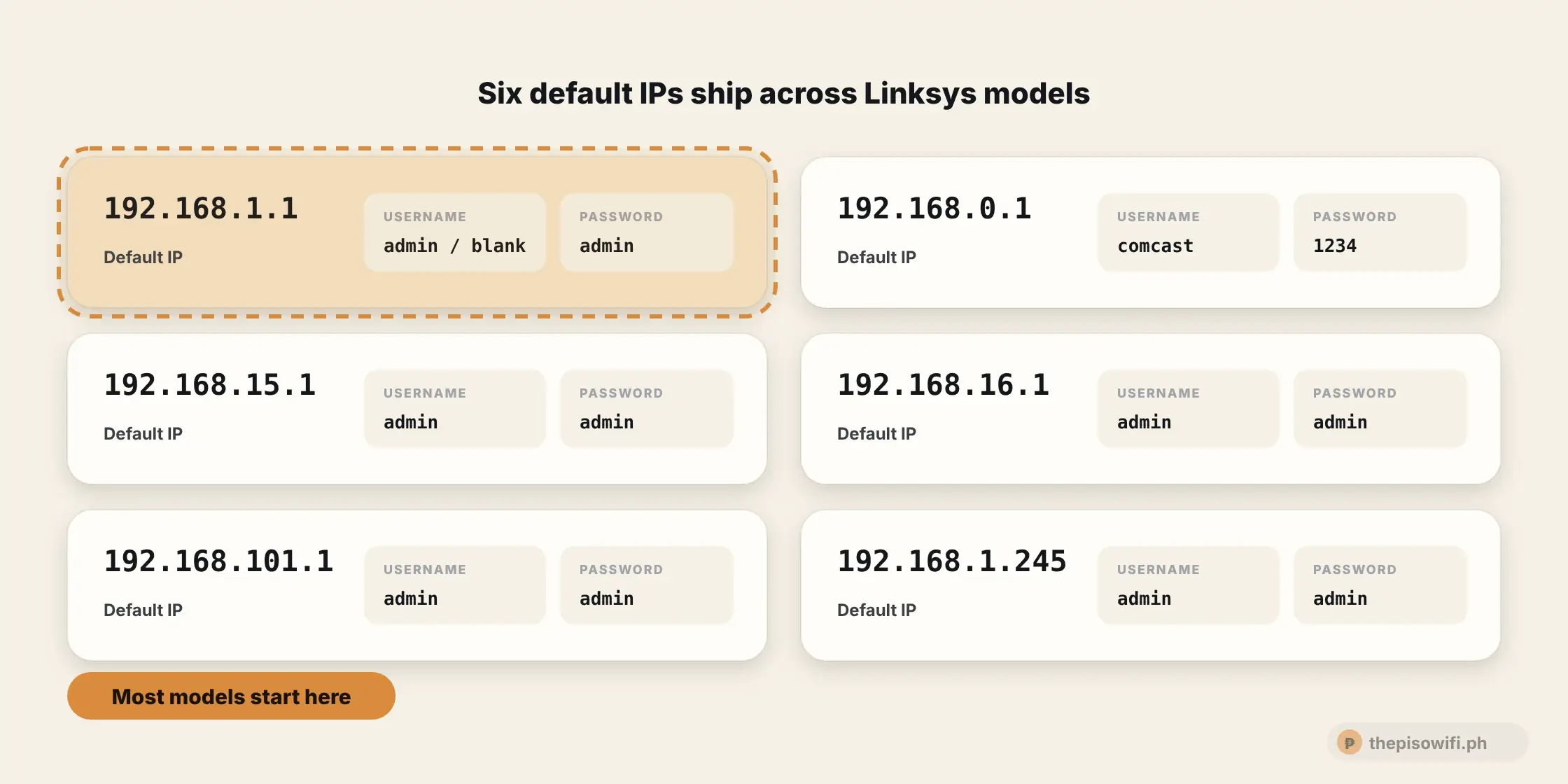
| Default IP | Default username | Default password |
|---|---|---|
| 192.168.1.1 | admin/blank | admin |
| 192.168.0.1 | comcast | 1234 |
| 192.168.15.1 | admin | admin |
| 192.168.16.1 | admin | admin |
| 192.168.101.1 | admin | admin |
| 192.168.1.245 | admin | admin |
What Is the Linksys Router Web Interface?
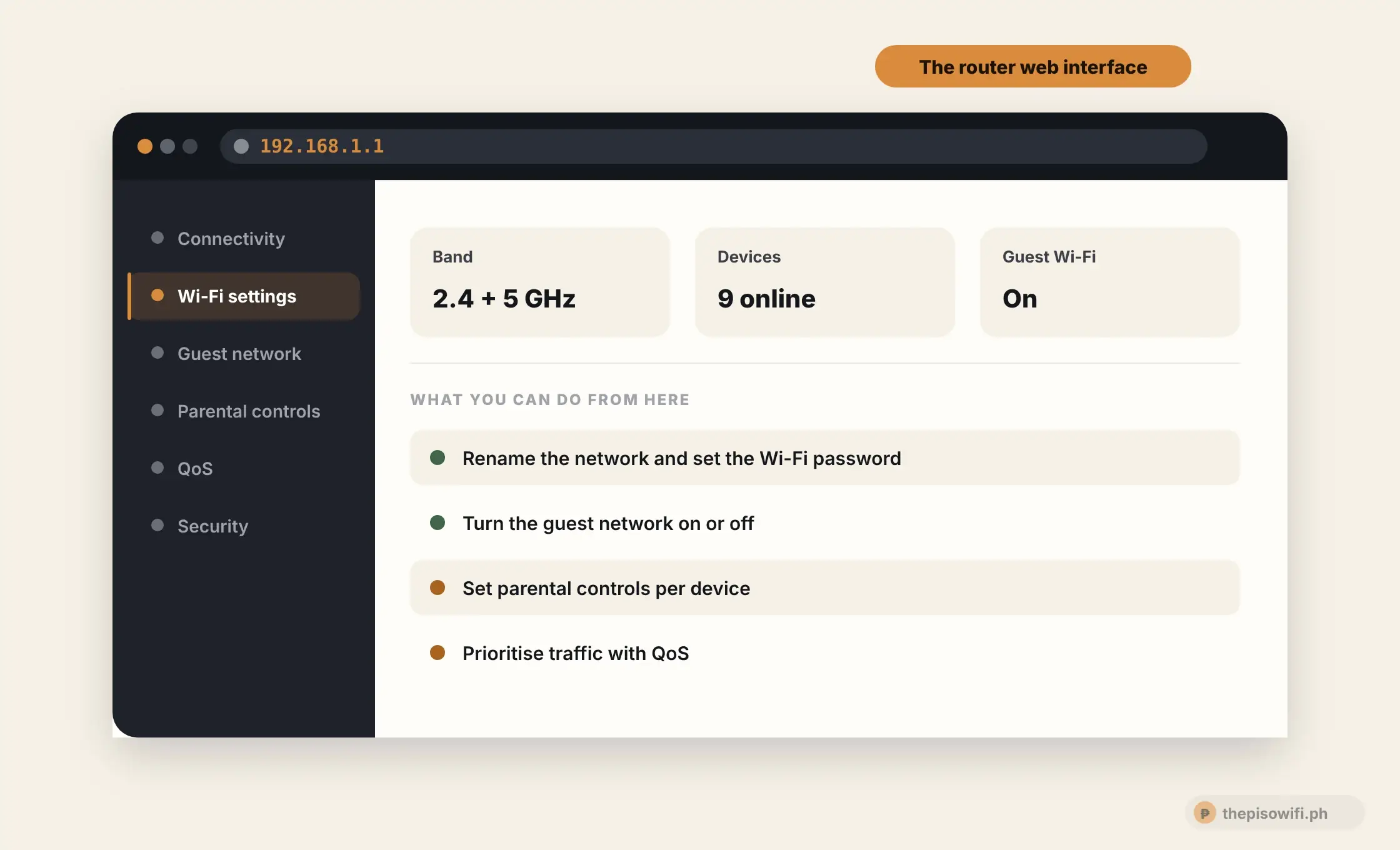
The Linksys router web interface is a browser-based control panel that allows you to enter the router's default IP, such as 192.168.1.1, in the address bar, and it will take you to its admin panel, where you can enter login credentials and access the admin dashboard.
How to Log In to a Linksys Router
Before logging in to the admin portal, make sure your device (laptop, PC, mobile, or other devices) is connected to the Linksys router network through an Ethernet cable or using a Wi-Fi connection. If your device is not connected, you will not be able to access the login panel.
Log in steps
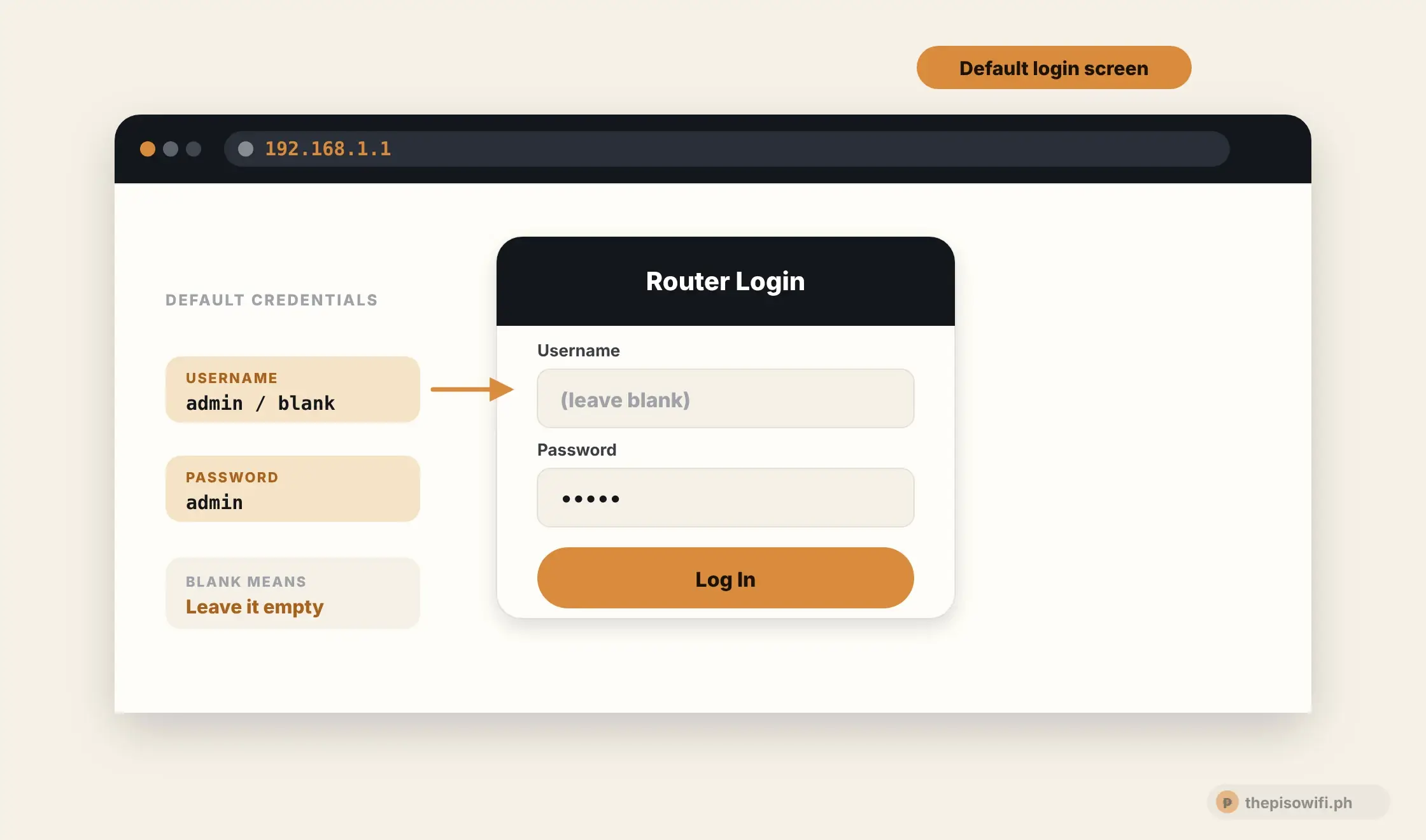
- Open a web browser such as Edge, Google Chrome, or Safari
- Type the Linksys router default IP, 192.168.1.1, in the address bar
- A login page appears on your screen. Enter the default credentials and click on “log in.”
- Once you successfully log in, you can change the Wi-Fi name, password, and username; update security settings; manage connected devices; and customize your router according to your needs.
How to Reset Your Linksys Router Password
If you've forgotten your login password or can't access the admin portal, contact your router's ISP; they will help. If there is no way to access your portal, then you will reset your router to factory settings and access the admin portal. Follow these steps:
- Make sure your Linksys router is powered on
- Press the reset button on the back or bottom of the router for 15 seconds until the LED lights start blinking
- Wait for a few minutes to set your router to factory settings
Factory settings will reset all your customized settings to their original state, even resetting the WiFi name, password, username, and other parental controls.
Create a new admin password
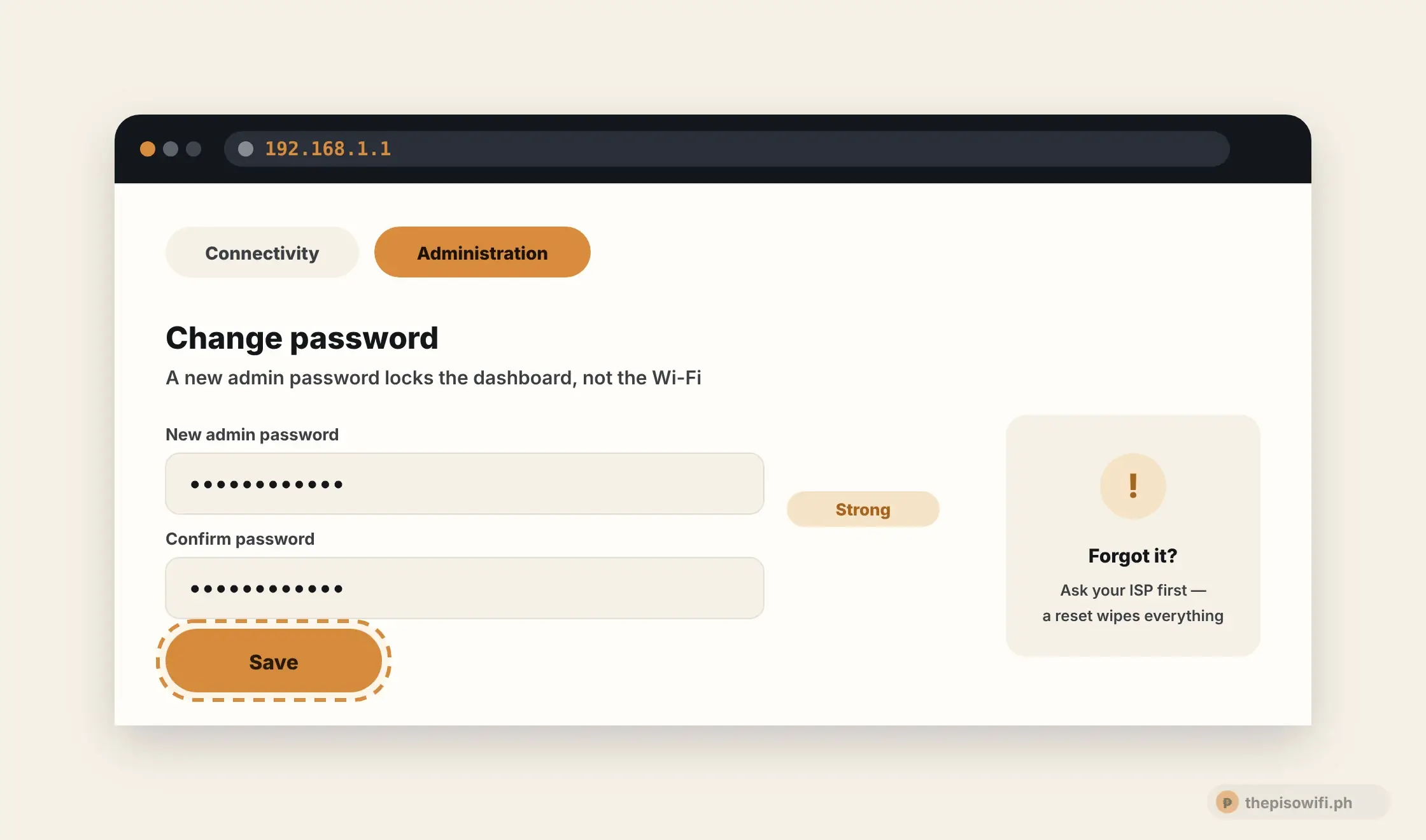
- Log in to the admin panel using the default credentials
- Go to administrative settings
- Select the option change password
- Enter a strong password
- Save changes
- Log in using your new admin password
Troubleshooting Linksys Router Login Issues
Can't Access the Linksys Login Page
Make sure the device is connected to the router network and enter the correct default details, such as entering a valid 192.168.1.1 IP in the address bar before logging in. Clear your browser cache and restart the device.
Incorrect Username or Password
Double-check the login details. Try the default username and password. If you forget your default details, reset your router to factory settings.
Router Not Responding
Ensure that your router is powered on and all cables are connected properly and securely. If the router is not responding, rebooting both the router and device can help to boost signals.
Internet Not Working After Login
Check that your modem and router are connected properly. Restart the device and contact the ISP to verify that your internet service is active.
Conclusion
The Linksys router is one of the most trendy networking devices and comes with different models. It provides secure and fast networking service and allows all your devices to connect and communicate with each other through one network. Once you access its admin login panel using its default IP and credentials, you'll be able to customize the settings, like changing usernames and passwords, managing connected devices, and updating security settings. It also provides advanced features you can easily manage by accessing its panel. Many users prefer Linksys routers because they provide smooth and fast service at an affordable price.
FAQs
What is the default username and password for Linksys routers?
Most Linksys routers use their default credentials for login, such as username (admin) and password (admin/blank).
Why can't I log in to my Linksys router?
Sometimes users enter the wrong IP address or incorrect login details, or their devices may not be connected to the router network correctly. Restart your device and router.
How do I change my Linksys Wi-Fi password?
Log in to your admin portal, go to wireless settings, click on “change password,” enter a strong password, save changes, and reconnect all your devices using the new password.